> For the complete documentation index, see [llms.txt](https://rplaylive.gitbook.io/creatorguide/llms.txt). Markdown versions of documentation pages are available by appending `.md` to page URLs; this page is available as [Markdown](https://rplaylive.gitbook.io/creatorguide/en/how-to/stream.md).
# Stream
## Getting Started
* To prevent accidents, streaming access is disabled by default.
* You can request streaming access in our [Creator Discord server](https://discord.gg/swPPJN6KTS) or by filling in this [form](https://forms.gle/SqPfoNAtMqaczCgz6)! \
Leave a DM and our staff will get onto it pronto!
## Going Live
1. Once you've been notified that streaming access has been granted, click the camera icon in the top right corner of RPLAY's homepage.
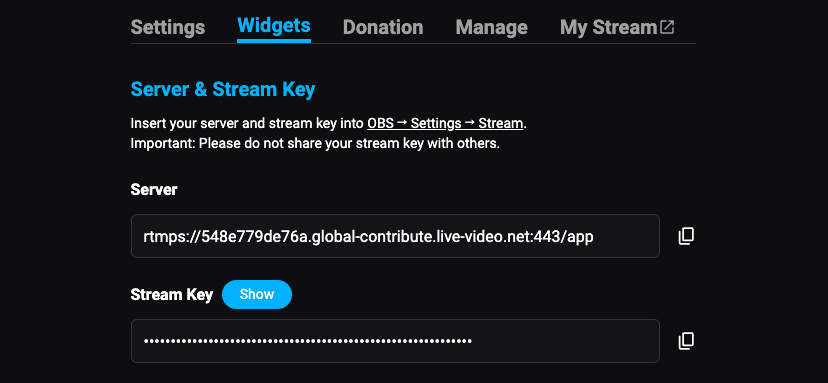
2. In the following menu, click the copy icon next to Stream Key, and paste it in OBS > Settings > Stream.
3. If your stream is an explicit content (NSFW), please remember to turn the toggle on.
## Viewer Access
There are three ways viewers can tune into your stream. You can choose any of these under Broadcast Settings.
* **Free access** : anyone with an RPLAY account can view your stream
* **Subscriber access** : only subscribers to specific tiers can view your stream
* **Live Ticket** : viewers can purchase a one-time pass to view your stream
## Widgets
* RPLAY has various widgets that can be displayed on-stream, such as a stream chat box and donation alerts. Read more about them [here](/creatorguide/en/how-to/stream/stream-widgets.md).
* To keep track of your feeds, simply add the **dashboard widgets** to the **OBS dock.**
## Mods
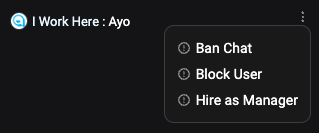
You can hire mods **through the stream chat.**
## Additional Info
* Your livestreams are auto-saved in the Replay Studio.
* For a detailed guide of advanced donation features, please refer to [this document](https://rplay.gitbook.io/detailed-guide/live-streaming/donations).
* RPLAY is compatible with Lovense. You can check out the guide [here](/creatorguide/en/how-to/stream/lovense.md).
* RPLAY allows multi-streaming. Checking our [Twitch integration guide](/creatorguide/en/how-to/stream/twitch-integration.md) to expose your Twitch streams on RPLAY whenever you go live.