> For the complete documentation index, see [llms.txt](https://rplaylive.gitbook.io/creatorguide/llms.txt). Markdown versions of documentation pages are available by appending `.md` to page URLs; this page is available as [Markdown](https://rplaylive.gitbook.io/creatorguide/howto/message.md).
# 메시지
메시지 기능을 통해 팬들과 더 가깝게 소통하실 수 있습니다.
{% hint style="info" %}
\[ **메신저를 활용한 수익 창출 방안 ]**
* 유료 채팅\
: 채팅 수신 요금, 이미지 수신 요금 설정을 통한 유료 대화
* 유료 구독자 전용 채팅\
: 유료 구독자 한정 리워드로 1대1 채팅 또는 그룹 채팅방 제공
* 채팅 전용 유료 콘텐츠 발행\
: 가벼운 이미지/영상 콘텐츠를 데일리하게 유/무료로 발행
* 1대1 커미션 진행\
: 커미션 콘텐츠 제작 협의 및 완성작 발행
{% endhint %}
## 채팅 시작하기
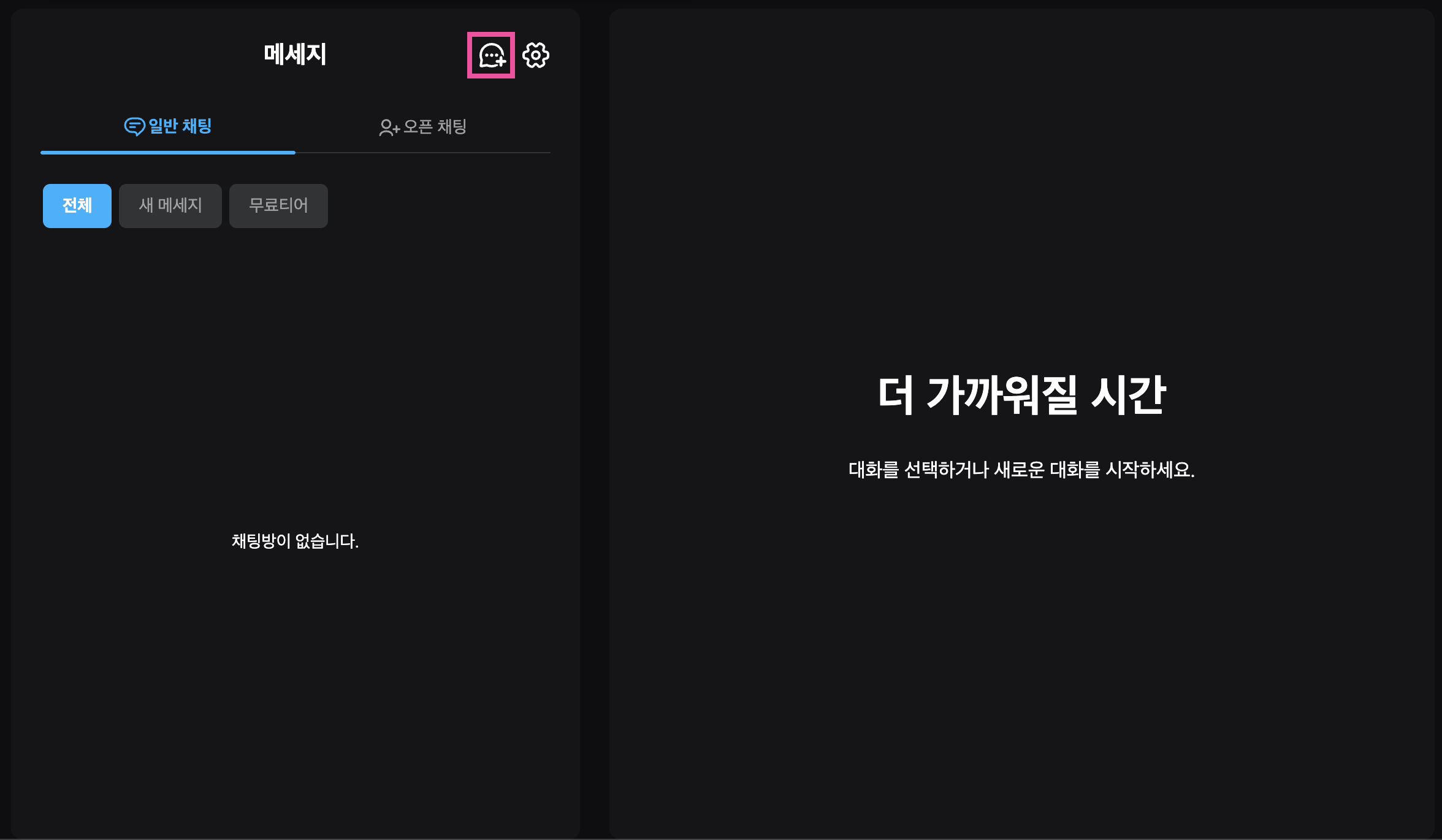
채팅방 리스트 우측 상단 **`채팅방 만들기`** 버튼을 누르면 채팅창 생성이 시작됩니다.
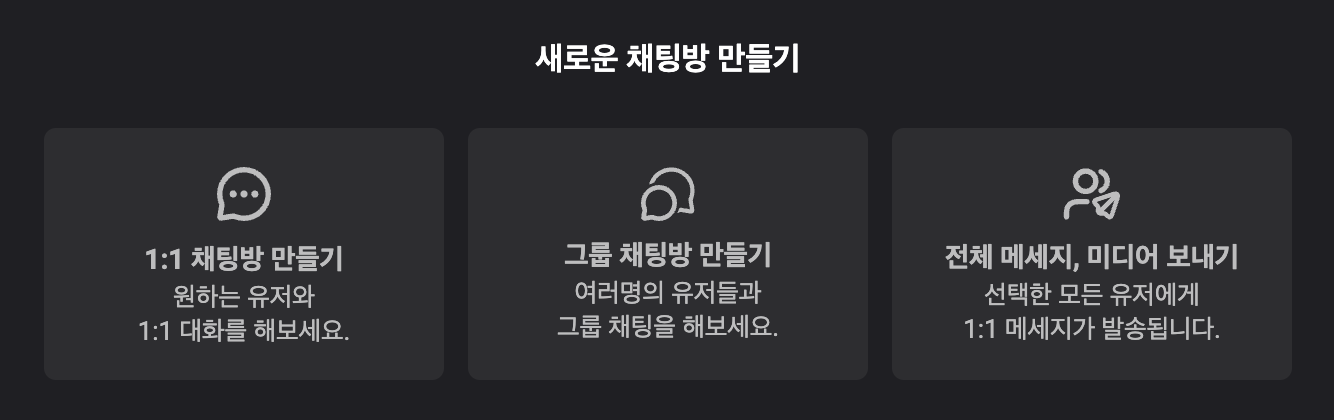
## 채팅방 종류
* [**1:1 채팅방**](/creatorguide/howto/message/1-on-1chatrooms.md) : 특정 유저를 초대해 1:1대화를 나눌 수 있습니다.
* [**그룹채팅방**](/creatorguide/howto/message/groupchat.md) : 여러명의 유저를 초대해 그룹 채팅방을 만들거나, 구독자를 초대해 티어별 채팅방을 만들어 대화할 수 있습니다.
* [**전체 메시지, 미디어 보내기**](/creatorguide/howto/message/multiusermessaging.md) : 선택한 모든 유저의 1:1 대화방에 메시지 또는 미디어를 발송할 수 있습니다.
## 메신저 설정
[메신저 설정](/creatorguide/howto/message/setting.md)을 통해 메시지 수신 여부 및 수신 조건과 자동 메시지 등을 설정할 수 있습니다.