> For the complete documentation index, see [llms.txt](https://rplaylive.gitbook.io/creatorguide/llms.txt). Markdown versions of documentation pages are available by appending `.md` to page URLs; this page is available as [Markdown](https://rplaylive.gitbook.io/creatorguide/howto/message/1-on-1chatrooms.md).
# 1대1 채팅방
{% hint style="info" %}
1대1 채팅방을 통해 개별 유저와 보다 긴밀하고 프라이빗하게 소통할 수 있으며, 메시지 & 이미지 수신을 통해 추가 수익을 창출하실 수도 있습니다.
{% endhint %}
## 1. 채팅방 만들기
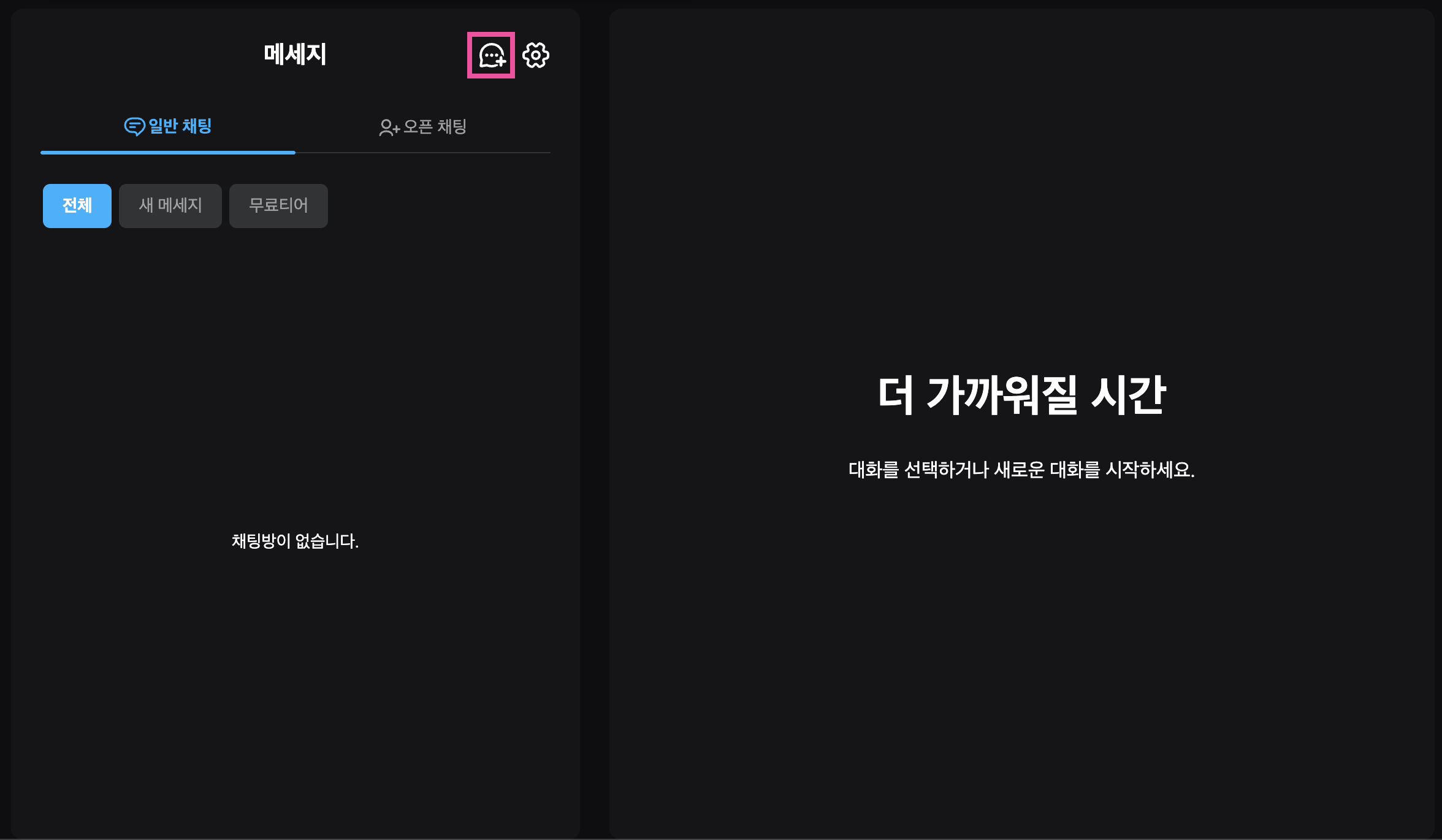
채팅방 리스트 우측 상단 **`채팅방 만들기`** 버튼을 누르면 채팅창 생성이 시작됩니다.
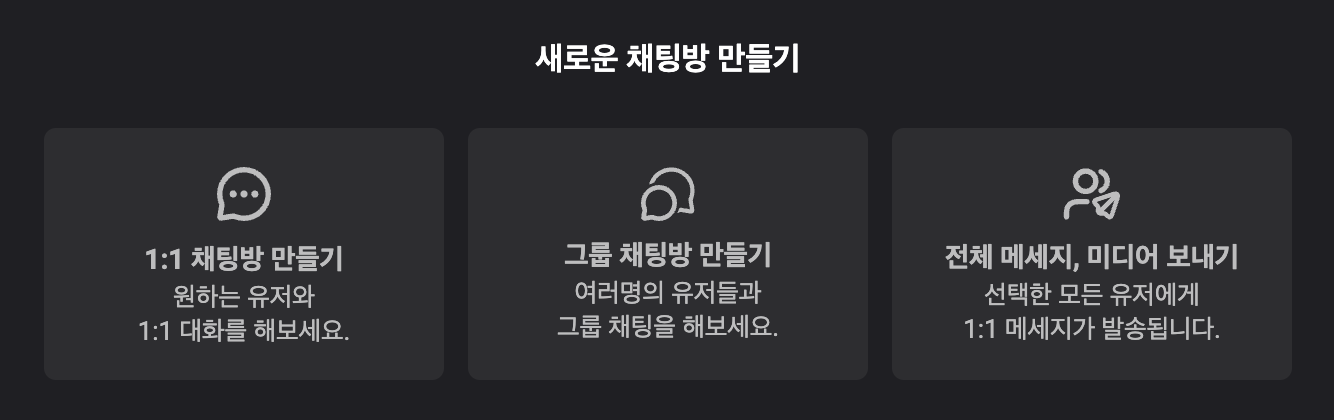
## 2. 채팅방 종류 선택
1:1 채팅방을 선택해주세요.
## 3. 대화 상대 선택
대화 상대의 닉네임 검색하고, 해당 유저를 선택한 후 확인 버튼을 눌러주세요.
메시지를 보내면 1:1 대화가 시작됩니다.
{% hint style="info" %}
#### \[ 대화방 생성 및 대화 간 참고사항 ]
* 메신저를 통한 대화는 크리에이터 - 유저 간 대화만 가능합니다.
* 크리에이터는 크리에이터는 검색 불가, 유저는 유저 검색 불가
* 닉네임 검색 시 대/소문자, 공백 등을 정확히 입력해야하며, 중복 닉네임이 존재할 수 있습니다. (추후 검색 편의성 개선 예정)
* 닉네임 변경 유저 & 크리에이터의 경우 채팅창에서 변경 전 닉네임이 표시될 수 있습니다.
{% endhint %}